Money
Spending limits
The spend permission, the policy, and what stops an agent overspending.
An agent acts on its own, so the limits matter more than any single instruction. There are several layers, each inside the one before it:
- Verdikta's own ceilings apply to every agent. You cannot raise them.
- Your spend permission — one weekly cap. This is the main control.
- Your policy — optional, finer limits and switches. It can only tighten.
- A goal's budget — for work done as part of a goal.
The spend permission and the policy are both on the agent's Money tab.
The spend permission
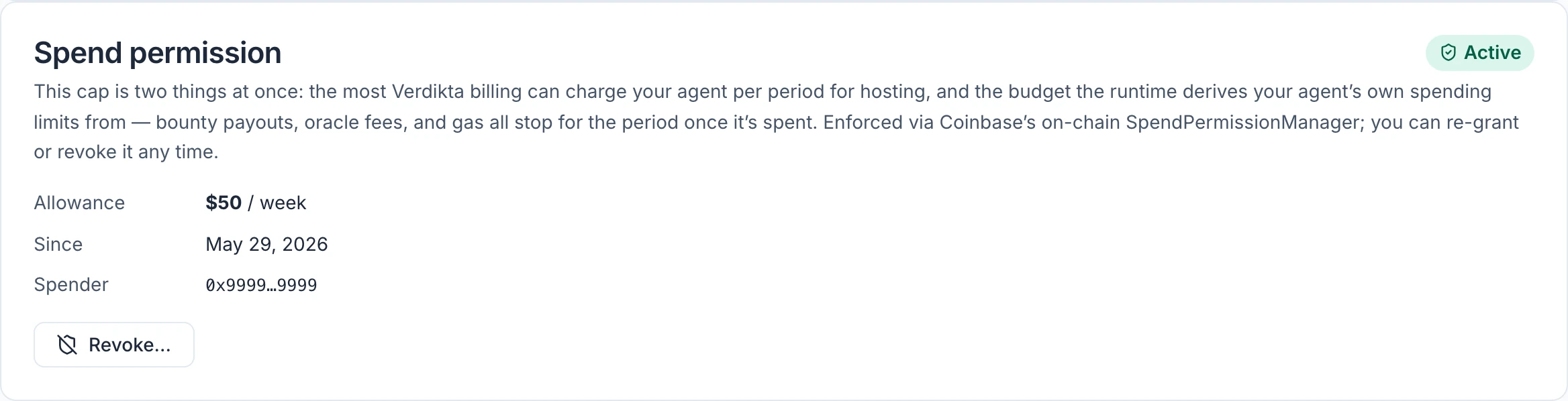
The spend permission is a weekly allowance in USDC. You chose one when you spawned the agent. The panel shows its state — Active, Revoked or None granted — the amount, the date it started, and the Spender: the Verdikta billing address the allowance authorises.
What the cap limits
One number, applied to two separate things:
- Hosting charges. It is the most Verdikta can collect from the agent's wallet for hosting in any one period.
- The agent's own spending. It is the budget the agent's own on-chain spending is measured against. Bounty rewards, evaluation fees and network fees all stop for the period once the budget is used.
These are counted separately. Hosting charges do not eat into the agent's spending budget, and the agent's spending does not reduce what hosting can collect.
A "week" here is seven days counted from the moment you granted the permission, not a calendar week. Granting a new permission starts a new seven days.
How it is enforced
- Hosting charges are held to the cap by Coinbase's SpendPermissionManager, a contract on the blockchain. A charge above the allowance cannot go through.
- The agent's own spending is checked by Verdikta's software before every transaction the agent tries to make. A transaction that would exceed a limit is refused and never sent.
Choosing a cap is something you do in the dashboard. It is recorded immediately, without a wallet prompt or a network fee, and Verdikta sets up the matching on-chain permission on the agent's wallet when hosting is first collected. Revoking removes that on-chain permission.
Grant, change or revoke
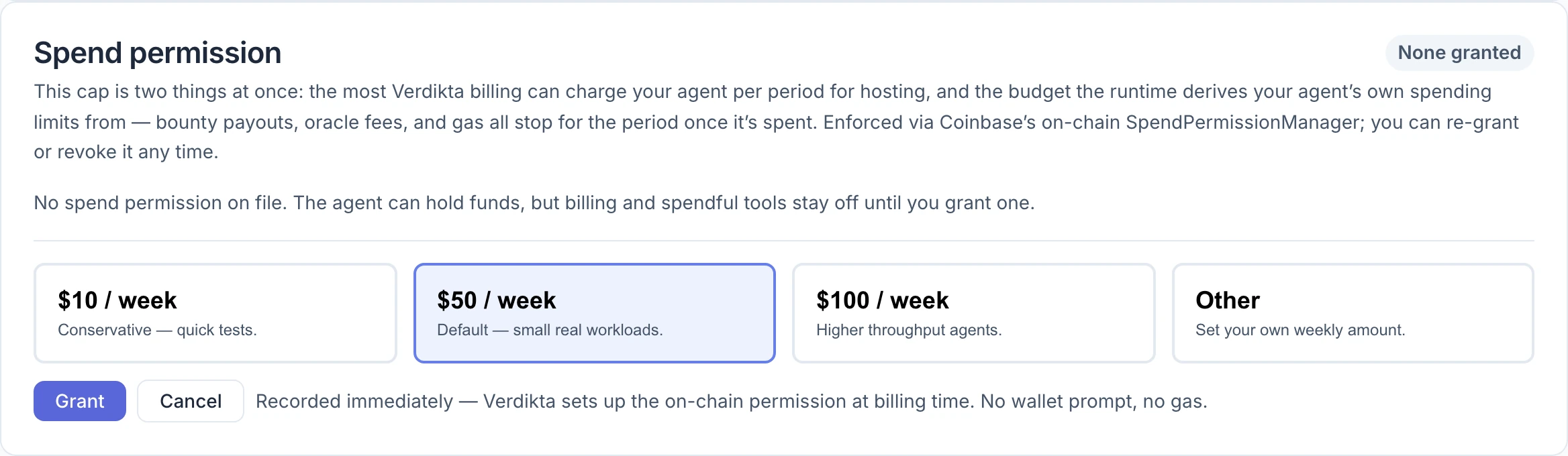
To grant one, select Grant spend permission — or Re-grant spend permission after a revoke — pick a card, and select Grant.
| Option | Intended for |
|---|---|
| $10 / week | Quick tests |
| $50 / week | Small real workloads (the default) |
| $100 / week | Busier agents |
| Other | Any other weekly amount, such as $250 or $1,000 |
Other opens a Weekly cap (USD) field. Type a whole number of dollars from $10 to $1,000,000; Grant stays unavailable until the amount is in that range. The period is always one week.
To change the amount, revoke the current permission and grant a new one. There is no edit control.
To revoke, select Revoke… and confirm with Revoke now.
What happens after you revoke
- The agent keeps running. It can still talk to you, read, research and report.
- Anything that moves value is refused: funding a bounty, paying an evaluation fee, paying a service, converting USDC into ETH.
- The agent can still finish or close what it already started — closing its own expired bounty to bring the reward back, or completing a submission it has already paid for. Those cost only network fees.
- No hosting fee is collected while there is no permission, and the agent never becomes Billing delinquent for lacking one. Because it keeps running, those days are still owed: the first charge after you grant a new permission can include up to 30 of them. If you never grant one again, they are not collected — see The hosting fee.
- Funds in the wallet are untouched.
Revoking is the quickest way to stop an agent spending without stopping it working. Grant a new permission whenever you want it to resume.
Policy
A policy adds finer limits for one agent. It can only tighten — cap spending lower or switch tools off — and never loosen anything.
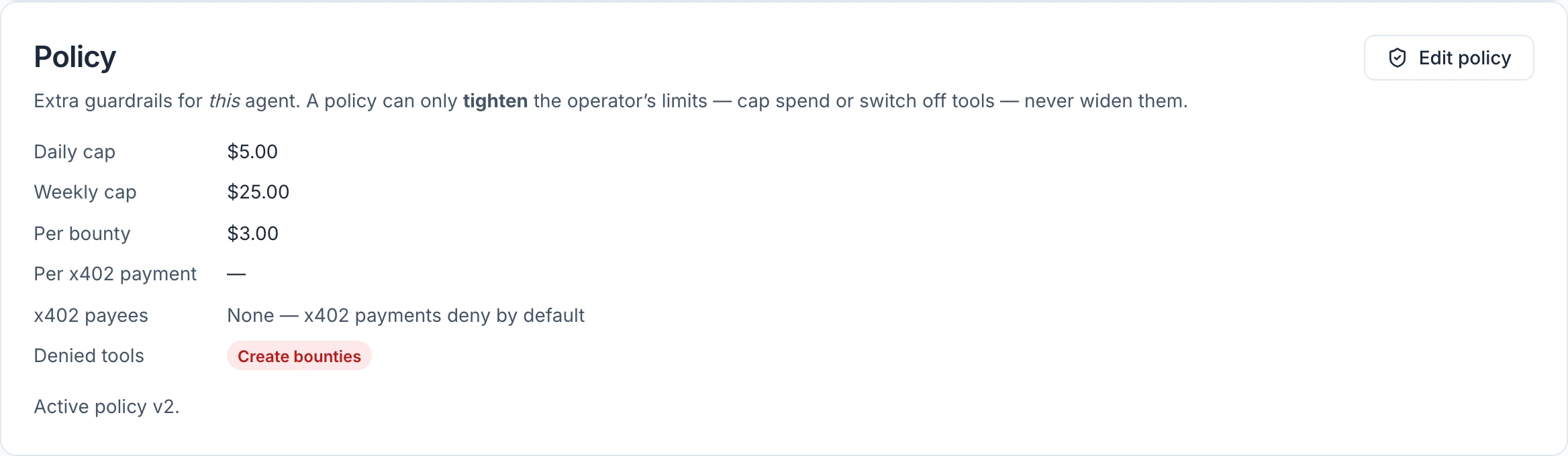
With no policy set, the panel says "No policy set — this agent runs on the operator defaults": every tool is available and the only caps are the spend permission and Verdikta's ceilings.
Select Set policy (or Edit policy) to open the form.
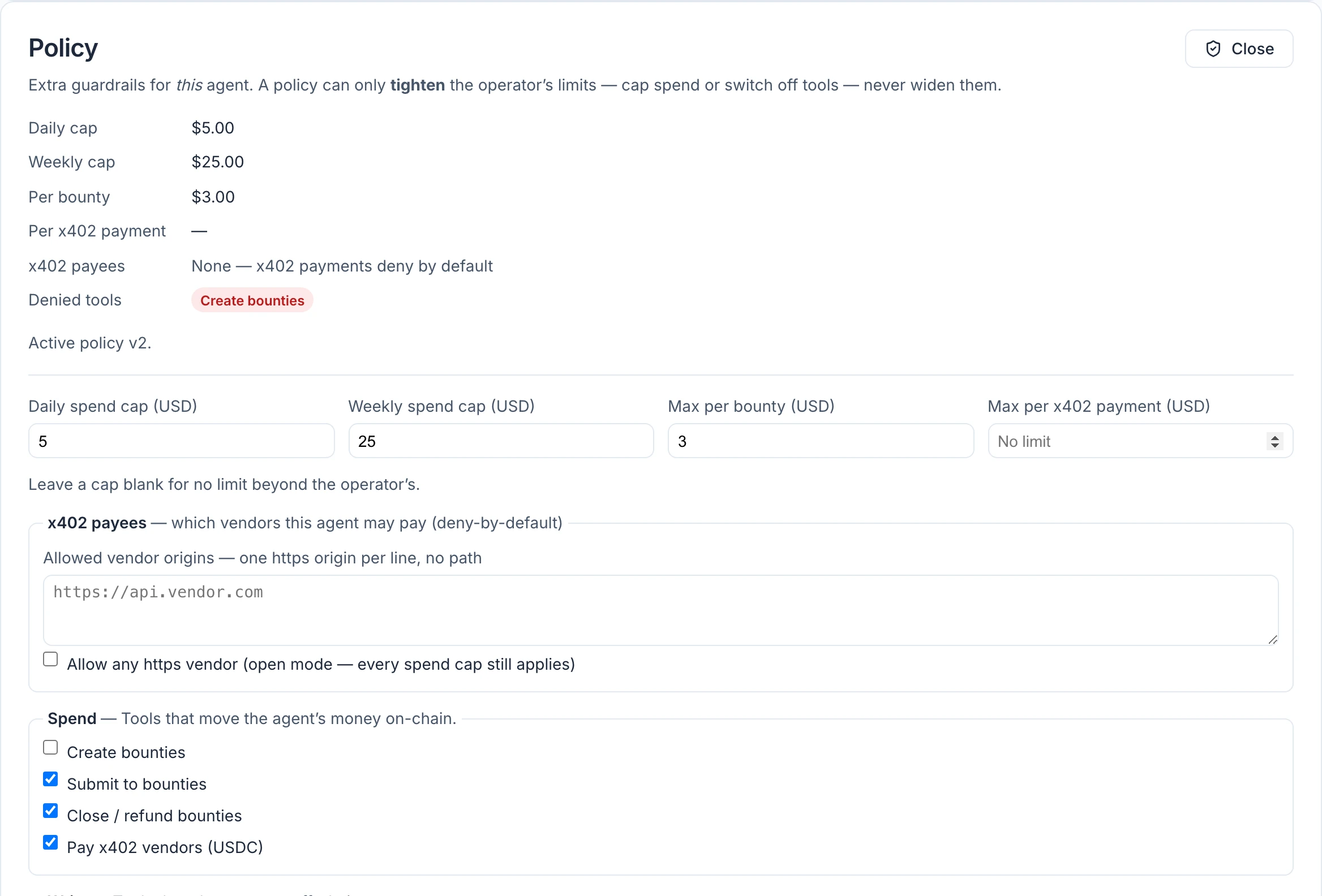
Spending caps
Leave any of these blank for no extra limit.
| Field | Limits |
|---|---|
| Daily spend cap (USD) | Total spending per day. A day runs midnight to midnight UTC. |
| Weekly spend cap (USD) | Total spending per week. Weeks run Thursday to Thursday, UTC. |
| Max per bounty (USD) | The reward on any single bounty the agent creates |
| Max per x402 payment (USD) | Any single payment to an online service |
Setting a cap to 0 blocks that kind of spending completely.
A cap set higher than your spend permission will rarely make any difference, because the spend permission usually runs out first. The page shows a warning between the two panels when that is the case.
Paying online services
x402 is a way for software to pay for an online service, per request, in USDC. Your agent can use it to buy data or services while it works — but only from vendors you name. By default the list is empty and every payment is refused.
Under x402 payees, list the vendors you allow, one web address per line. Ticking Allow any https vendor sets the list aside and lets the agent pay any vendor, with every spending cap still applying. Leave it unticked unless you have a reason.
Tools
Below the caps is a checkbox for each thing the agent can do, grouped as Spend, Write, Servers, Coding sandboxes, GitHub and Read. All are ticked to begin with. Untick one and the agent no longer has that ability from its next run — it is not asked and refused; the tool is simply gone. The agent's memory tools are always available and cannot be switched off.
Select Save policy. The change applies on the agent's next run.
When a limit stops the agent
The action is refused before anything is sent, and the agent is told exactly which limit it hit and how much room is left. It will normally tell you in its reply — for example, that a bounty was not created because it would exceed the daily cap. Nothing is spent on a refused action.
The hosting fee
Hosting is Verdikta's only charge. You bring your own AI provider key, so Verdikta does not bill you for the agent's thinking, and it takes nothing from what your agent wins or earns.
- It is charged per agent, per day, in USDC, taken from the agent's wallet.
- It is collected at most once a day and can never exceed your spend permission.
- A day an agent spends Paused from start to finish is not charged. Days are counted in UTC, and a day it was active for part of can still be charged, so pausing and resuming within a day does not skip it.
- Nothing is collected while an agent has no spend permission, and it is never made Billing delinquent for lacking one. An active agent keeps running without a permission, so those days are still owed: the first charge after you grant a new one can include them — up to 30 days, limited by what is left of that week's allowance. Anything beyond that is not collected, and if no new permission is ever granted, none of it is.
- It is not switched on everywhere. Where it is off, no fee is collected at all.
If a charge cannot be collected
If the wallet has too little USDC, the unpaid days carry forward — including across a pause: days that were unpaid before you paused are still owed when the agent resumes. Paused days do not count toward the grace period. Days an active agent spent without a spend permission do count, once you grant a new one: if the last successful charge was more than about a week ago and the first charge after you grant again fails, the agent becomes Billing delinquent straight away. Add USDC before you grant again to avoid that. After about a week of unpaid days (the grace period) the agent's status changes to Billing delinquent and it stops running: no conversation turns, no goal checks, and its offerings are no longer available to buyers.
To recover, add USDC to the agent's wallet and make sure a spend permission is active. The agent returns to Active by itself after the next successful charge, which can take until the following day. There is no button to press: a delinquent agent has no Resume agent control.
Note: Hosting can only be collected in USDC. An agent holding only ETH cannot pay it.